
https://dash.elfsight.com/apps/google-reviews
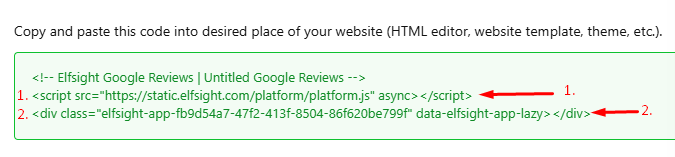
1. Open the index.php file, find the Body section, and paste the first line of your installation code above the closing tag:
<script src="https://static.elfsight.com/platform/platform.js" async ></script>
2. Choose a page for your widget. Click Content → Articles in the left menu, and select the page where you'd like to display your widget:
3. Select the place on the page where you want the widget to appear and add the second line of your installation code there. In the example below, we show how to add the widget to a blank page.
 Joomwalker is not affiliated with or endorsed by the Joomla Project or Open Source Matters.